KVM-Start
3,56 €
per month
- 2 Xeon vCores
- 4 GB DDR4 memory
- 30 GB on RAID 5
- 1x IPv4 and 1x IPv6
KVM means your own kernel and full root access. Six sizes or your own build on Intel Xeon Gold in Duesseldorf. Choose an operating system and optional one-click app when ordering.
None of the sizes fits? Set vCores, memory and storage one by one, up to 128 GB RAM and 500 GB storage. Priced per unit, about 10% above the packages.
All prices include 19% German VAT. Prepaid, no minimum term, cancel any time in the panel, upgrade any time.
Six things you never have to book. Naming them once beats repeating them in every card, and it keeps the difference between the sizes visible.
Filtering sits upstream of our network. An attack never reaches your machine and costs you no CPU.
One address of each kind per server, yours for as long as it runs. More on request.
Every node hangs on 2x 10 Gbit in an LACP bond, so a busy neighbour keeps its hands off your bandwidth.
A failed drive does not take your data with it. That is redundancy, not a backup, and we say so.
Every size runs on the same processor: Intel Xeon Gold 6230, 20 cores per socket, on our own nodes in Duesseldorf.
Our own nodes in a German data centre. We do not resell someone else's capacity.
You pick one when ordering and can reinstall it yourself at any hour, without a ticket. A reinstall wipes the old contents, and we say that before it starts.
The classic server system. Lean, maintained for years, few surprises.
Familiar ground and the largest supply of ready-made guides.
A Linux option for projects built around the RHEL ecosystem.
For everything that will not run without it. You bring the licence, it is not in the price.
Need something else? Write to us. If it can be provided sensibly, we add it.
And what customers install on top, in no particular order:
The current template selection is shown in the server configurator. Windows licences are not included.
Choose an app when ordering or install it later from the panel on a running server. The app sets the suitable operating system; requirements are checked before installation.
Site with its own database and HTTPS
Cloud for files, calendars and contacts
Engine and Compose for your containers
Manage containers in your browser
Deploy apps and databases
Manage databases in your browser
Some apps require a fresh system or more memory and storage. See the requirements in the configurator.
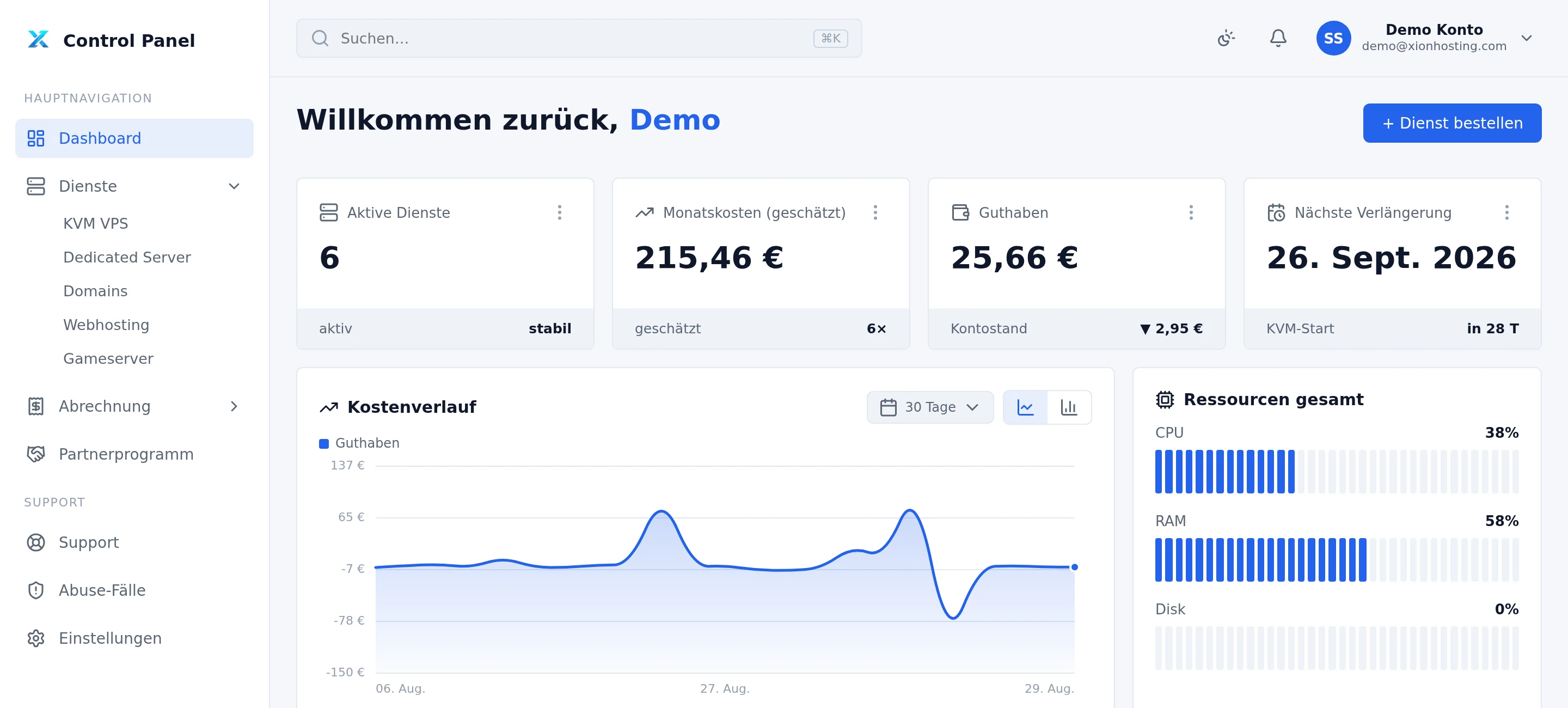
Console, reinstall, traffic, renewal, receipts and support. One login, no second system, nothing that only support can reach.
Reaches the machine even when the network inside it is broken.
Pick a system, the machine returns with a fresh password. No ticket, no waiting.
The panel shows what the machine actually moved this month.
Renews automatically from your balance. Cancel any time in the panel, the server then runs until the end of the paid period.
Every top-up gets an invoice, every deduction a receipt. Both live in the panel.
Ask from the machine page, and we already see which one you mean.
Step-by-step guides from our help centre, for Debian and Ubuntu. They are written in German.
Provisioning starts automatically once the amount leaves your balance, and the server is usually up in under a minute. Nobody has to approve anything. The credentials appear in the panel under the server, never in an email.
Debian 9 to 13, Ubuntu 22.04, 24.04 and 26.04, AlmaLinux 9 and 10, and Windows Server 2019 and 2022 are available as templates. The current selection is shown in the configurator. Windows requires your own licence.
Yes. Choose WordPress, Nextcloud, Docker, Portainer, Coolify or phpMyAdmin when ordering. The panel also offers installation on a running server without reinstalling it. Some apps need a fresh system or minimum resources; the panel checks that before installation.
Yes. KVM is full virtualisation: your own kernel, your own file system, no shared modules and no blocked system calls. Install your own kernel, Docker, firewall rules, whatever you like. We do not touch a running system.
Any time, in the panel. The server keeps its data, its system and its IP address. Going up works immediately; going down works as long as the used disk space fits the smaller size, and the panel tells you before anything happens.
You do not have to, but you can at any time. The server renews automatically for another month as long as your balance covers it, and the amount is deducted from it. If you no longer want that, click "Cancel" in the panel: the server runs until the end of the paid period and then ends. If the balance does not cover the renewal, the server is suspended and deleted after a short grace period; we email you first. No minimum term.
Every server has a browser console in the panel. It reaches the machine even when the network does not, so a broken firewall rule or a failed boot is not the end of the story.
Something else on your mind? Help centre or open a ticket.
3.56 euro buys a machine with root access. If it turns out too small, you move up in the panel and keep your data, your system and your address.